Bible Translations
Five open and freely licensed translations bundled offline across four languages, served from a single SQLite database with FTS5 full-text search.
Public Lifestone builds ship with five open and freely licensed Bible
translations spanning English, Spanish, French, and Portuguese. They're stored
in a single SQLite database (data/lifestone.db) with FTS5 virtual tables for
fast offline text search.
Bundled public translations
| ID | Code | Translation | Language | License |
|---|---|---|---|---|
1 | KJV | King James Version | English | Public Domain |
8 | SpaRV | Reina-Valera 1909 | Spanish | Public Domain |
9 | FreJND | J.N. Darby 1885 | French | Public Domain |
10 | PorBLivre | Bíblia Livre | Portuguese | Public Domain |
11 | NTBT | Nueva Traducción BibliaTodo | Spanish | BibliaTodo Free Use Agreement (v1.7) |
Offline storage & cross-references
All bundled translations live locally inside data/lifestone.db with FTS5
full-text search so every passage loads instantaneously with no internet
connection required. Cross-references are imported from
openbible.info.
Cross-references
Lifestone imports 340k+ cross-references (the bundled file currently has 344,800 entries) from openbible.info so every verse links to thematically related passages. The cross-reference panel shows them ranked by relevance, and you can click through to queue any of them for broadcast.
Switching translations during a sermon
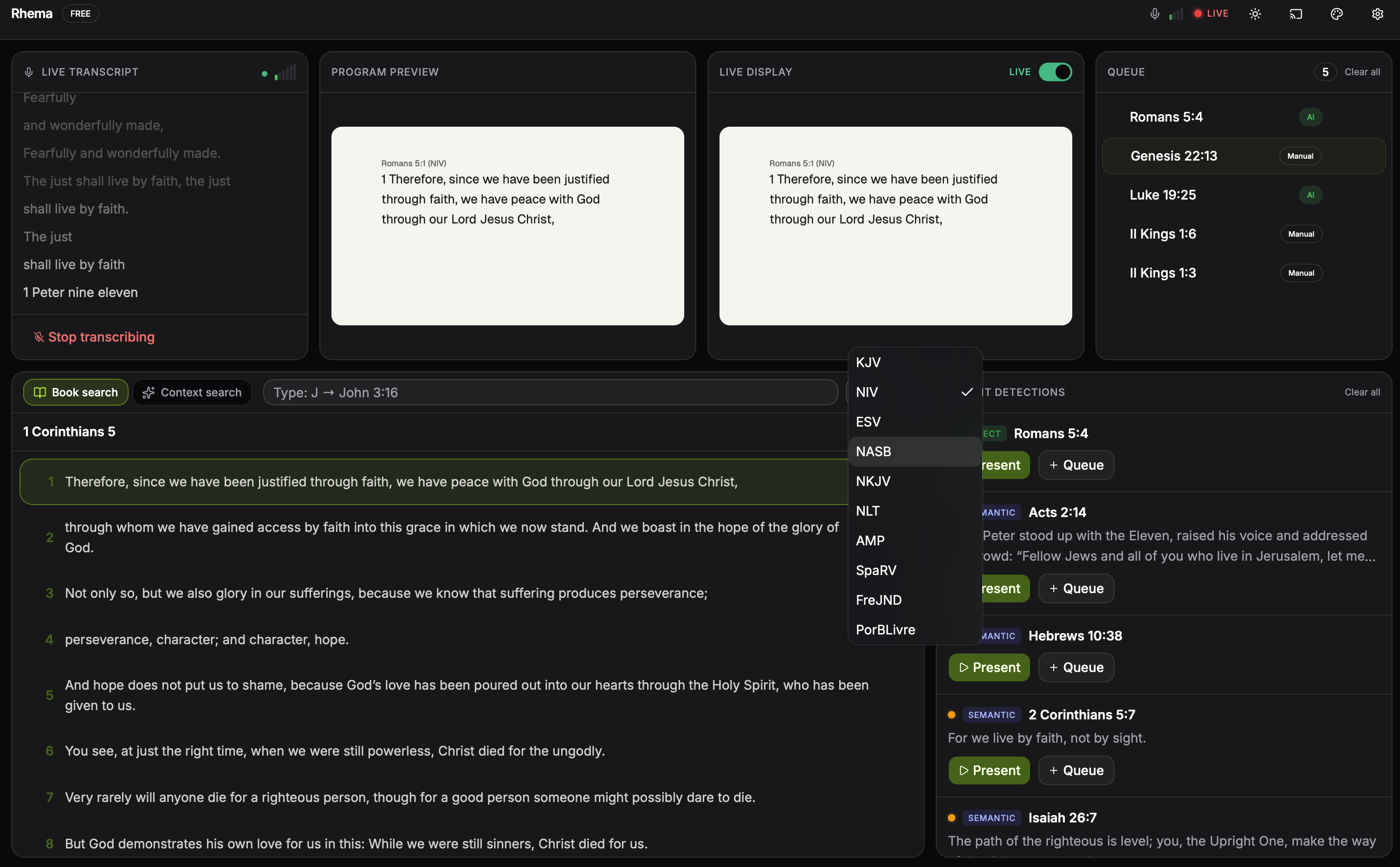
The transport-bar translation picker lists every bundled translation. The active translation is the one rendered on the live overlay; switching here is the same surface that voice commands and remote control hit under the hood. Click to expand.
The active translation is the one rendered on the broadcast overlay. You can change it three ways:
- Voice command — "read in KJV", "switch to Spanish", "read in French", and so on. See Voice control for details. If a speaker asks for a translation not bundled in the public edition, Lifestone stays cleanly on the current translation and shows a gentle notification.
- UI control — the translation picker in the transport bar.
- Remote control — OSC, HTTP, or a Stream Deck button. See Remote control.
When you swap, the live overlay reflows with the new translation while keeping the same verse reference.
Search architecture
Every translation has its own FTS5 virtual table. SQLite's FTS5 ships with BM25 ranking by default, which gives natural results when searching by phrase ("walk by faith", "fearfully and wonderfully").
The frontend layers Fuse.js (src/lib/context-search.ts) on top for
instant fuzzy search across the recent transcript context — the kind of
typing-while-searching experience you want when scrubbing for a verse
during a service.