Voice Control
Hands-free translation switching and chapter navigation while you're preaching.
Lifestone listens for a small set of voice commands so you don't have to break flow at the lectern. Commands are recognized inline with the sermon transcript — there's no wake word and no separate listening mode.
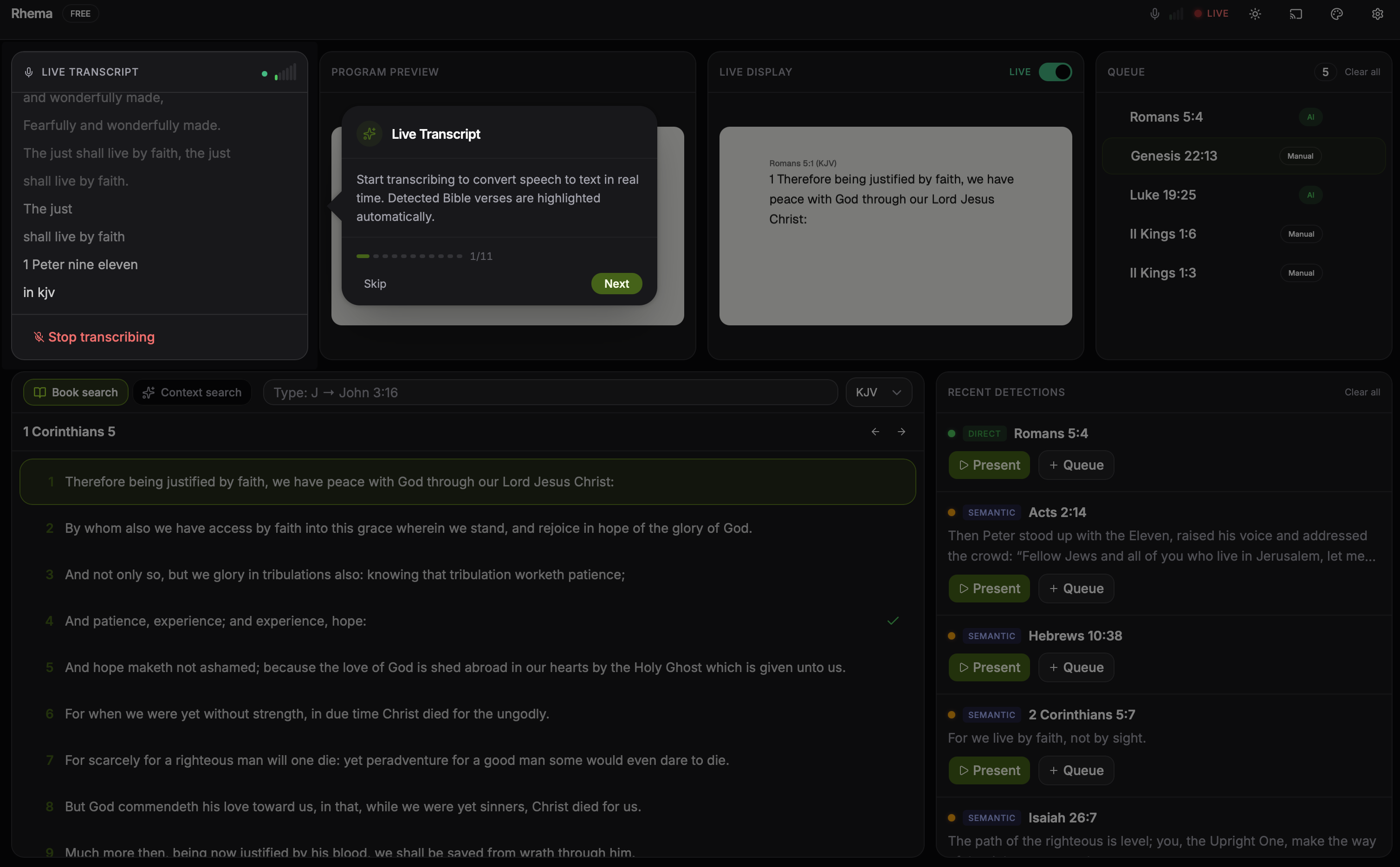
When the detector matches a voice command (here "read in NIV"), the phrase is highlighted in the transcript and the active-translation badge in the header flips to the new value. Click to expand.
Translation switching
The translation switcher activates whenever the detector hears one of these patterns:
- "read in KJV" / "switch to King James" →
KJV - "read in Spanish" / "read in Reina Valera" →
SpaRV - "read in NTBT" / "read in BibliaTodo" →
NTBT - "read in French" →
FreJND - "read in Portuguese" →
PorBLivre
If a pastor requests a copyrighted translation (such as NIV or ESV) in a public open-license build, Lifestone gracefully keeps the current active translation on screen and shows a non-disruptive notice instead of failing.
Patterns are case-insensitive. Once recognized, the active translation
flips immediately and the live overlay reflows. The full alias table
lives in src-tauri/crates/detection/src/direct/detector.rs.
Chapter navigation in reading mode
When the pastor announces a passage to read through ("Let's turn to
Romans 8"), Lifestone enters reading mode and the queue locks to that
chapter. Voice commands then advance through the text — these are the
exact patterns the detector matches in
src-tauri/crates/detection/src/reading_mode.rs:
- "next" / "next verse" — advance by one verse
- "previous verse" / "go back" — back by one verse
- "next chapter" / "previous chapter"
- "chapter N" — jump to chapter N
- "verse N" — jump to verse N
- "chapter N verse M" — jump directly to chapter N verse M
Reading mode exits automatically when detection drifts back into free-form citation territory — there's no explicit "exit reading mode" phrase to memorize.
False-positive guard
Voice commands only fire when the detector is confident the words are a command, not part of the message. "Next chapter" said as a teaching point ("the next chapter of your story") won't trigger navigation.
Disabling voice control
If your service style doesn't suit voice commands — or if a guest speaker keeps tripping them accidentally — you can turn voice control off in Settings → Detection. Translation switching and chapter navigation then fall back to UI/remote control only.
Detection guards
The command lookup happens in
Detector::detect_translation_command in direct/detector.rs, which
searches a fixed alias table and returns the matched translation code
(or None). Behavioral guards layered on top:
- Sermon context awareness — when reading mode is engaged the detector prefers navigation patterns over fresh translation switches.
- Duplicate suppression on the recent-command path — the direct detector tracks recently pushed candidates and skips re-emitting an identical match into the same window.
Bible Translations
Five open and freely licensed translations bundled offline across four languages, served from a single SQLite database with FTS5 full-text search.
Theme Designer
A visual canvas editor that produces broadcast-ready verse overlays — backgrounds, typography, shadows, outlines, and exact pixel positioning.